
| Previous process: Users signed in directly on the KlearNow login page using their registered email address and password. | New process (SSO): Users are now authenticated through a new secure sign-in system. The process is simple and only takes a few seconds. |
Important: one-time password reset required: As part of this upgrade, you will receive a separate email from KlearNow with a link to reset your password. This is a one-time step. Once your password is set, you can sign in using the new process described below.
How to sign in — new SSO process
Follow these steps each time you sign in to KlearNow:
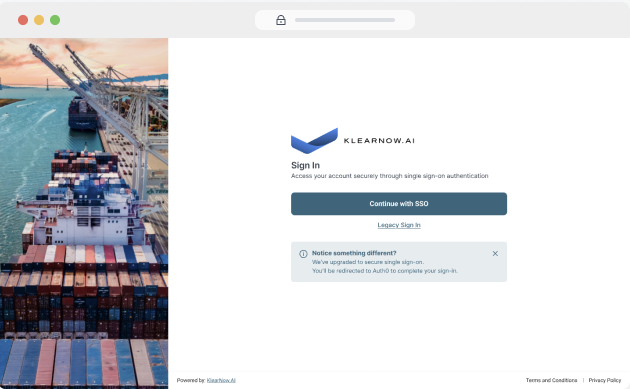
1. Go to the KlearNow sign-in page and click "Continue with SSO"
Open your browser and navigate to the KlearEngine sign-in URL as you normally would. On the sign-in screen, click the Continue with SSO button to be redirected to the new secure sign-in screen.
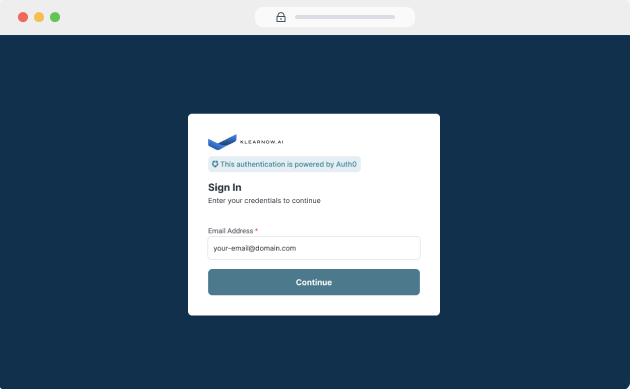
2. Enter your email address.
On the sign-in screen, enter your registered email address and click Continue.
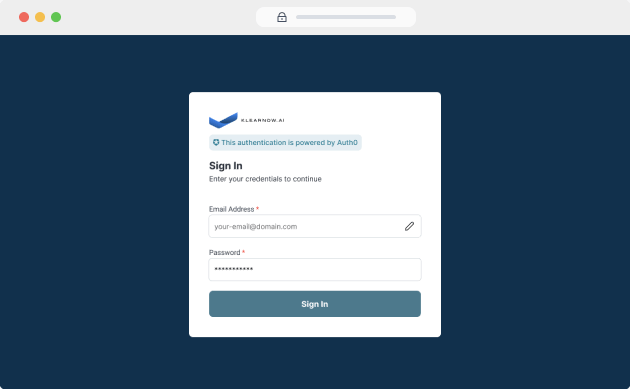
3. Enter your password
A password field will appear on the same screen. Enter your password and click Continue to proceed.
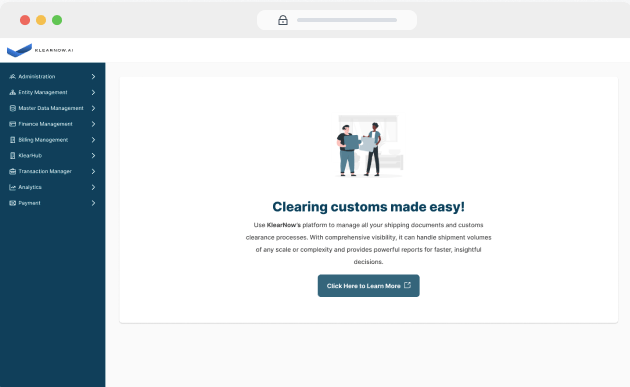
4. Access your account
You will be signed in and redirected to your KlearNow account instantly.
Frequently asked questions
Password reset link has expired?
The one-time password reset link is only valid for a limited time. If you open the link after it has expired and click the reset button, you will see a link expired screen. Don't worry - as soon as you reach that screen, the system will automatically send a fresh password reset email to your inbox.
Alternatively, you can go to the KlearEngine sign-in page, click Continue with SSO, and use the Forgot Password option to reset your password at any time.
Forgot your password?
Click the Forgot Password link on the sign-in screen. You will receive an email with a link to reset your password.
Did not receive the password reset email?
Please check your spam or junk folder. If you still cannot find it, raise a support ticket at klearnow.ai/support.
Having trouble with SSO?
If you are experiencing any issues with the SSO sign-in process, you can still access your account using the legacy sign-in option available on the KlearEngine login screen. Look for the Sign in with username & password option and use your existing credentials to log in as usual.
If the issue persists, raise a support ticket at klearnow.ai/support and our team will be happy to assist.